settings & database
configure silo's behavior and manage your local database through the settings page.
accessing settings
click the settings icon in the navigation menu to access:
- database management
- indexing preferences
- search settings
- privacy options
- storage configuration
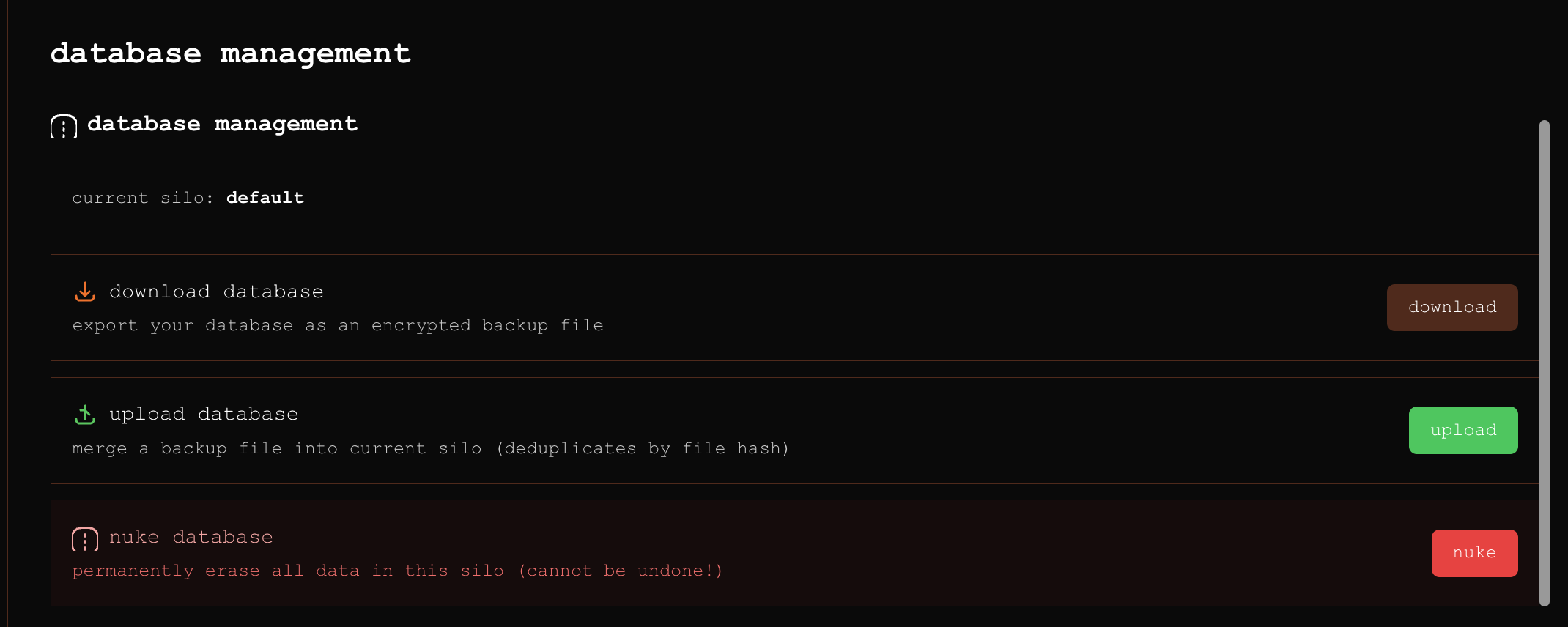
database management
database overview
view key statistics about your silo:
- total files indexed
- database size
- faces detected
- clusters created
- last indexing date
database location
your silo database is stored locally:
- sqlite database file
- faiss vector indexes
- face embeddings
- file metadata
default location: .local/silo-db/
clear database
remove all indexed data while keeping settings:
- go to settings → manage database
- click "clear database"
- confirm action
this removes all indexed data but keeps your settings. your original files are never touched.
backup database
automatic backup is coming in a future update.
manual backup:
- locate your database folder
- copy the entire
.local/silo-db/directory - store in a safe location
restore database
to restore from backup:
- stop silo
- replace
.local/silo-db/with backup - restart silo
indexing preferences
auto-indexing
configure automatic re-indexing:
- on startup: check for new files on launch
- scheduled: daily, weekly, or monthly scans
- watch folders: monitor sources for changes
indexing options
customize what gets indexed:
- face detection: enable/disable face scanning
- object detection: toggle object recognition
- ocr: enable text extraction
- audio transcription: process audio/video
performance settings
adjust resource usage:
- batch size: files processed simultaneously
- cpu threads: number of cores to use
- gpu acceleration: enable if available
- memory limit: maximum ram usage
search settings
search behavior
configure how search works:
- results per page: 20, 50, 100, or unlimited
- similarity threshold: minimum relevance score
- include metadata: search file names and dates
- search thumbnails: use smaller images for speed
search index
manage search performance:
- rebuild index: refresh faiss indexes
- optimize: compact and speed up searches
- cache size: memory allocated for search cache
privacy options
data collection
silo never collects user data, but you can control:
- error reporting: send crash reports (local only)
- usage analytics: track feature usage (local only)
- update checks: check for new versions
security
protect your silo:
- password protection: require password to open silo
- auto-lock: lock after inactivity
- encrypt database: encrypt local database files
password protection and encryption are coming in a future update.
storage configuration
storage location
configure where silo stores data:
- database: sqlite and faiss indexes
- thumbnails: preview images
- cache: temporary processing files
- models: downloaded ai models
storage limits
set maximum storage usage:
- thumbnail size: quality vs space tradeoff
- cache limit: temporary file maximum
- auto-cleanup: remove old cache files
advanced settings
developer options
for advanced users:
- debug mode: verbose logging
- api access: enable local api
- custom models: use alternative ai models
- experimental features: test new functionality
reset settings
restore default settings:
- go to settings → advanced
- click "reset to defaults"
- confirm action
this resets:
- all preferences
- search settings
- indexing options
it does not delete:
- indexed data
- face clusters
- source configurations
troubleshooting
database issues
if you experience database problems:
- check disk space: ensure sufficient storage
- verify permissions: check folder access rights
- rebuild index: refresh search indexes
- clear cache: remove temporary files
performance issues
if silo is running slowly:
- reduce batch size in settings
- disable gpu if causing issues
- lower memory limit
- reduce results per page
- clear old cache files
corruption recovery
if database becomes corrupted:
- try rebuilding indexes first
- restore from backup if available
- clear database and re-index as last resort
updates
checking for updates
silo can check for updates:
- manually in settings
- automatically on startup
- notification when available
update process
to update silo:
- backup your database
- stop silo
- pull latest code:
git pull - restart using
./start-all.sh
your data and settings are preserved during updates.